

An MT4 order can be rejected even when the entry price is available and the account has sufficient margin. Error 130, commonly labeled “Invalid stops,” indicates that a requested stop-loss, take-profit, or pending-order price fails the trading server’s validation. The rejection concerns the instruction’s price conditions, not necessarily the direction of the trade.
In mt4 trading, a line drawn at a sensible technical level is not automatically a valid order level. Five distinct causes explain why the platform and broker may disagree.
Minimum Stop Distance Exceeds the Planned Price Gap
Brokers can impose a minimum distance between the current market and protective or pending-order prices. MT4 exposes a reported stop level through MODE_STOPLEVEL, measured in points, but the effective restriction can vary by symbol and server conditions.
A stop placed inside that distance may be refused even if it lies beyond an obvious support level. A reported zero is not proof that every distance is accepted: some servers apply dynamic controls that the terminal cannot express as a fixed number. Inspect the symbol’s stop-level information and the server response rather than repeatedly resubmitting the same price.
Bid and Ask Selection Can Put a Stop on the Wrong Side
For a buy position, the stop-loss must be below the relevant Bid price and take-profit above it. For a sell position, validation uses the Ask side. A chart displaying mainly Bid prices can obscure the distance available for a short position’s stop.
A widening spread makes this mismatch more likely. The intended stop might look comfortably separated from the visible chart price while sitting too close to Ask. Display both quote sides and calculate the distance from the correct one before submitting a modification.
Stale Quotes Can Invalidate a Previously Correct Calculation
An Expert Advisor may calculate a valid stop using one quote and send the request after the market has moved. The broker validates against its current prices, not the snapshot used by the script. During rapid trading, even a small delay can consume the required clearance.
Imagine a hypothetical palladium CFD quoted at $1,120.00 Bid and $1,121.00 Ask. A long position covering 10 ounces is to receive a stop at $1,115.00, with a broker minimum distance of $4 from Bid. The initial $5 gap qualifies. Before the modification reaches the server, Bid drops to $1,118.50; the gap is now $3.50, so the stop is rejected. If the position subsequently closes manually at $1,109.00, the $110 loss from the original $1,120.00 reference exceeds the intended $50 loss at $1,115.00 by $60, excluding costs. The stop was never active. Refresh quotes and confirm the accepted order state rather than assuming a successful calculation means protection exists.
Pending Orders Can Violate Entry and Exit Constraints Simultaneously
A pending order introduces an additional validation layer. Its entry price must sit on the permitted side of the market and satisfy the broker’s minimum distance; attached stop-loss and take-profit prices must also be valid relative to that pending entry.
Correcting only the protective stop may leave the pending entry itself invalid. Automated strategies should check the order type, proposed entry, and attached exit levels as one coordinated set. The required geometry differs between buy limits, sell limits, buy stops, and sell stops.
Freeze Levels Can Prevent Modifications Near the Market
Some brokers enforce a freeze level that restricts modifications or cancellations when an order’s relevant price is too close to the market. Unlike the minimum stop distance, this rule concerns whether an existing instruction can be changed at that moment. Depending on the operation and server, the rejection may appear as a modification restriction rather than error 130.
For mt4 trading systems that move stops automatically, a freeze restriction can leave the previous protective level in place despite a new line appearing on the chart. Before opening a CFD position, inspect the symbol’s stop and freeze levels, verify point size and Bid/Ask handling, and test that the broker actually accepts the intended stop prices under current spread conditions.


Summer Fashion
Summer Fashion
Products
-
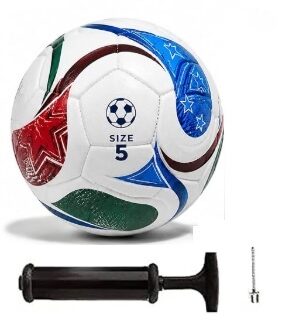 FIFA World Cup Football
-
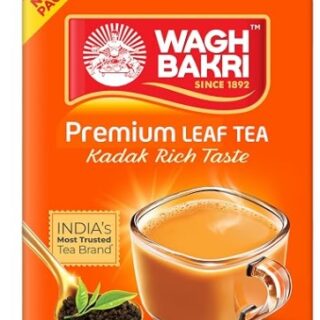 Wagh Bakri Assam Premium Leaf Tea Carton Pack-500 Gram
Original price was: ₹325.00.₹319.00Current price is: ₹319.00.
-
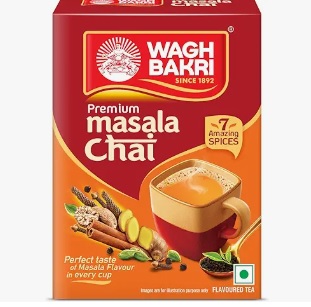 Wagh Bakri Premium Spiced Tea - 250 Gram
Original price was: ₹199.00.₹160.00Current price is: ₹160.00.
-
 Wagh Bakri Premium Spiced Tea- 500 Gram
Original price was: ₹379.00.₹325.00Current price is: ₹325.00.
-
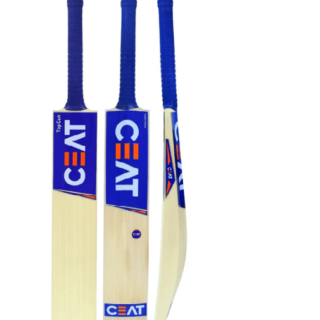
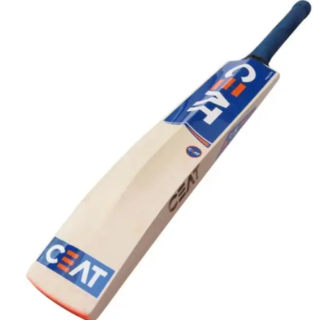 CEAT Poplar Willow Cricket Bat – Size 6
Original price was: ₹2,450.00.₹999.00Current price is: ₹999.00.